Reconciliation reports now live in the Retailer App
Reconciling fulfilment invoices can quickly become time-consuming, especially when charges are spread across multiple services, shipments and operational activities.
The new Reconciliation Report has been introduced to make that process much simpler.
Available now within the Retailer App, the report gives customers a detailed weekly breakdown of billing activity in one place.
This includes:
- Activity type
- Order reference
- Service provided
- Billing date
- Quantity
- Cost
- Fulfilment network partner
Users can also filter results by:
- Carriage
- Consumables
- Goods in
- Pick and pack
- Returns
- Storage
Instead of pulling information from multiple reports or manually checking invoices line by line, customers can now quickly review charges from a single view.
The goal is simple – clearer billing visibility with less admin.
Accessing the report
Generating a copy of the report can be done by following the steps below:
Retailer App → Analytics → Reports → Create Report → Client Reconciliation Report
If you have any questions about creating the report or making the most of it, please reach out to your account manager or raise a support ticket. We're here to help.
Multi-user ticket filtering now available
Ticket filtering has also been improved within the app.
Users can now filter tickets by selecting multiple users at once, making it easier to track activity across teams and identify tickets involving specific groups of people – without needing to run multiple separate searches.
It’s a relatively small update, but one that removes a lot of repetitive admin for operational and support teams managing large volumes of tickets every day.
Keep the feedback coming in on fixes like this that make your life easier – they're just as important as bigger features!
Bill of lading numbers added to custom orders
The Collection Details section within custom orders now displays bill of lading numbers whenever they’ve been provided by the carrier at collection.
For customers managing pallet shipments and more complex freight operations, this adds another layer of visibility directly within the platform.
Instead of relying on external systems or manually chasing shipment references, teams can now quickly validate collection details and reference consignment information directly against the order itself.
For warehouse and logistics teams, that means:
- Better shipment traceability
- Faster access to consignment information
- Easier coordination with carriers
- Less manual checking
Simple operational improvements like this can make a big difference when managing high shipment volumes or more advanced freight workflows.
FTP integrations improved for ERP-connected workflows
We’ve also introduced improvements to our FTP integration services to better support ERP-connected operations, including systems like NetSuite.
A key enhancement now allows line IDs to pass through integrations and return alongside dispatch confirmations.
In practical terms, this gives ERP-connected businesses much clearer traceability between fulfilment activity and their wider operational systems.
For teams managing orders across multiple platforms, it helps reduce reconciliation issues and simplify communication between systems.
As more brands scale across channels and regions, these kinds of integration improvements become increasingly important for keeping operations efficient and connected within the platform.
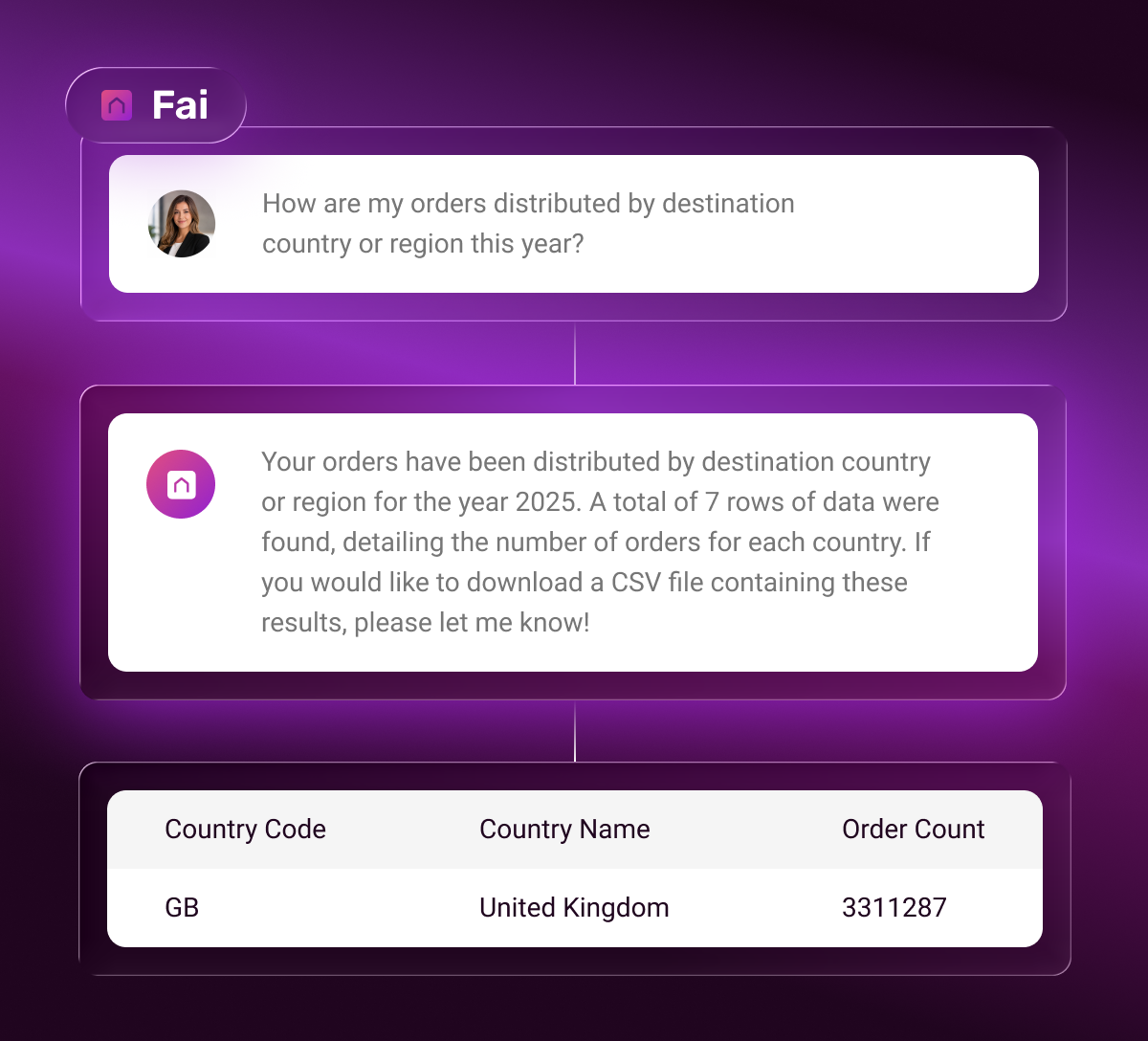
🔦 Feature spotlight: AI Reporting Assistant
Starting this month, we'll be highlighting a key feature inside the platform that may have gone under some customers' radars. It's not always the latest features that might make the biggest impact for every customer, so we're hoping to shed some light on some powerful tools with lower usage inside the app.